Set Open Parameters
Set the resolution of image
Using the params.stream_mode parameter, you can set the resolution
of the image.
Attention: Now image resolution supports 4 types: 640X480,1280x720 for single camera. 1280x480, 2560x720 for left and right camera.
Reference code snippet:
// Stream mode: left color only
// params.stream_mode = StreamMode::STREAM_640x480;  // vga
// params.stream_mode = StreamMode::STREAM_1280x720;  // hd
// Stream mode: left+right color
// params.stream_mode = StreamMode::STREAM_1280x480;  // vga
params.stream_mode = StreamMode::STREAM_2560x720;  // hd
Set the frame rate of image
Using the params.framerate parameter, you can set the frame rate of
image.
Note
The effective fps of the image(0-60) - The effective fps of the image in 2560x720 resolution (30)
Reference code snippet:
// Framerate: 30(default), [0,60], [30](STREAM_2560x720)
params.framerate = 30;
Set color mode
Using the params.color_mode parameter,you can set the color mode of
image.
COLOR_RAW is original image, COLOR_RECTIFIED is rectified
image.
Reference code snippet:
// Color mode: raw(default), rectified
// params.color_mode = ColorMode::COLOR_RECTIFIED;
Set depth mode
Using the params.depth_mode parameter,you can set the depth mode.
DEPTH_COLORFUL is colorful depth image,DEPTH_GRAY is grey
depth image, DEPTH_RAW is original depth image。
Reference code snippet:
// Depth mode: colorful(default), gray, raw
// params.depth_mode = DepthMode::DEPTH_GRAY;
Enable auto exposure and auto white balance
Set params.state_ae and params.state_awb to true , you can
enable auto exposure and auto white balance.
By default auto exposure and auto white balance are enabled,if you want
to disable,you can set parameters to false .
Reference code snippet:
// Auto-exposure: true(default), false
// params.state_ae = false;

// Auto-white balance: true(default), false
// params.state_awb = false;
Enable IR and its adjustments function
Using the params.ir_intensity parameter,you can set IR’s intensity
of image. Enabling IR is setting params.ir_intensity greater than 0.
The greater the value, the greater the IR’s intensity.(max is 10).
Reference code snippet:
// Infrared intensity: 0(default), [0,10]
params.ir_intensity = 4;
Note
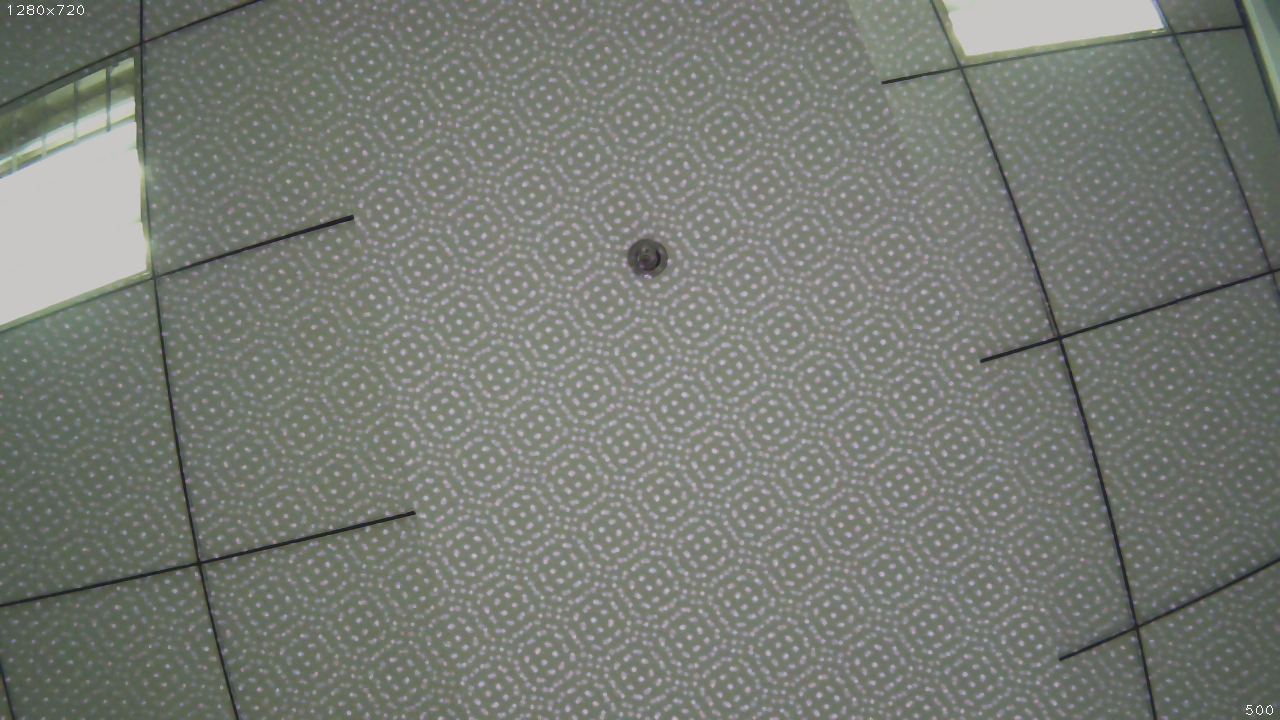
After turning this fuction on, you can see ir pattern:
Enable IR Depth Only
Using the params.ir_depth_only parameter,you can set IR Depth Only
function. This is disabled by default. After turning this function on, IR
only works on depth images. IR pattern will not show in color images.
Note
This feature is only available for [2560x720 30fps] and [1280x720,1280x480,640x480 60fps] After turning this function on, frame rate will be divided equally. For example, when set frame rate of image to 30 fps, the frame rate of color image is 15 fps. The frame rate of depth image is 15 fps too. This feature will cause the left eye image and depth map to be out of sync.
Reference code snippet:
// IR Depth Only: true, false(default)
// Note: IR Depth Only mode support frame rate between 15fps and 30fps.
//     When dev_mode != DeviceMode::DEVICE_ALL,
//       IR Depth Only mode not be supported.
//     When stream_mode == StreamMode::STREAM_2560x720,
//       frame rate only be 15fps in this mode.
//     When frame rate less than 15fps or greater than 30fps,
//       IR Depth Only mode will be not available.
// params.ir_depth_only = false;
Adjust colour depth value
Using the params.colour_depth_value parameter, The value is 5000 by
default.
Reference code snippet:
// Colour depth image, default 5000. [0, 16384]
// params.colour_depth_value = 5000;
Reference running results on Linux:
Open device: 0, /dev/video1

D/eSPDI_API: SetPropertyValue control=7 value=0D/eSPDI_API: SetPropertyValue control=7 value=35D/eSPDI_API: SetPropertyValue control=7 value=1-- Auto-exposure state: enabled
D/eSPDI_API: SetPropertyValue control=7 value=0D/eSPDI_API: SetPropertyValue control=7 value=12D/eSPDI_API: SetPropertyValue control=7 value=1-- Auto-white balance state: enabled
-- Framerate: 5
D/eSPDI_API: SetPropertyValue control=7 value=4 SetDepthDataType: 4
-- Color Stream: 1280x720 YUYV
-- Depth Stream: 1280x720 YUYV

D/eSPDI_API: SetPropertyValue control=7 value=0D/eSPDI_API: SetPropertyValue control=7 value=3D/eSPDI_API: SetPropertyValue control=7 value=4
-- IR intensity: 4
D/eSPDI_API: CVideoDevice::OpenDevice 1280x720 fps=5

Open device success
Note
After changing the parameters, you need to run in the sdk directory
make samples
to make the set parameters take effect.
Complete code samples,see get_image.cc .